 |
|
|
|
|
|
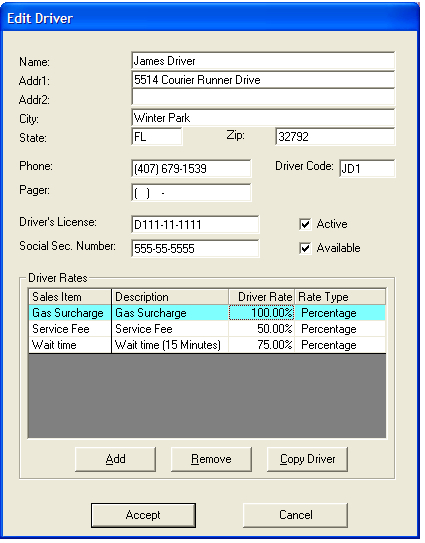
Driver Rates
Add - Clicking this button will allow you to add Sales Items to the Driver Rates. The Sales Item will appear in the grid & will allow you to setup how much your driver will get paid for that item. You can pay your driver a "Flat Rate" or "Percentage". The "Percentage" will be calculated from the amount of the Sales Item on that job.
Remove - Clicking this button will remove the selected Sales Item from the Driver Rates.
Copy Driver - Clicking this button will allow you to copy an existing Driver's Rates. After clicking this button, another window will appear prompting you to select a driver. You can type in an existing Driver's Name & if you accept that driver, the rates for that driver will copy to the record you are adding (or editing).
